Mobile Payments in Uganda: A Comprehensive Guide
Mobile payments have revolutionized the way Ugandans manage their finances. With the widespread adoption of mobile money services like MTN Mobile Money and Airtel Money, it's now easier than ever to send and receive money, pay bills, and make purchases. Empower Finance Uganda is here to guide you on how to use mobile payments effectively and safely.
Understanding Mobile Money in Uganda
Mobile money is a system that allows users to store, send, and receive money through their mobile phones. It's a convenient and accessible alternative to traditional banking, especially for those in rural areas or without access to bank accounts. The process is simple: you register for a mobile money account with a telecom provider, deposit funds at an authorized agent, and then use your phone to perform transactions.
- Registration: Visit an authorized agent with your national ID to register for a mobile money account.
- Depositing Funds: Deposit cash at an agent's location. The agent will credit your mobile money account.
- Sending Money: Use your phone to send money to other mobile money users by entering their phone number and the amount.
- Receiving Money: Money sent to your phone number is credited to your mobile money account.
- Withdrawal: Visit an agent to withdraw cash from your mobile money account.
- Bill Payments: Pay utility bills, school fees, and other expenses directly from your phone.
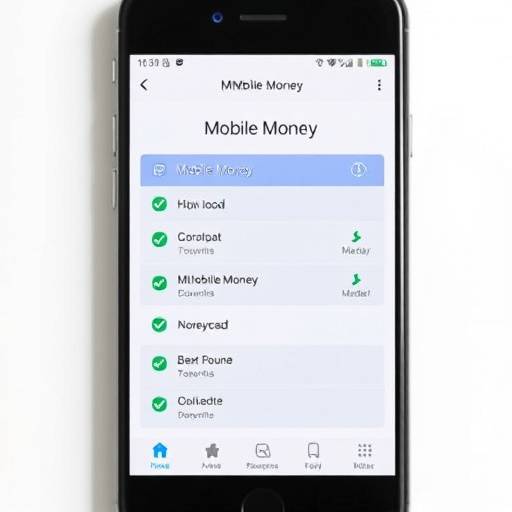
Image: Example of a mobile money interface showing transaction options.
Security Tips for Mobile Payments
While mobile money offers numerous benefits, it's crucial to prioritize security to protect your funds from fraud and theft. Here are some essential security tips:
- Protect Your PIN: Never share your mobile money PIN with anyone. Treat it like your bank account password.
- Be Wary of Suspicious Messages: Ignore messages asking for your PIN or other personal information. Legitimate mobile money providers will never request this information via SMS.
- Verify Transactions: Always double-check the recipient's phone number and the amount before confirming a transaction.
- Use Strong Passwords: If your mobile money account is linked to an online portal, use a strong and unique password.
- Secure Your Phone: Use a strong screen lock PIN or password to prevent unauthorized access to your phone.
- Report Suspicious Activity: Immediately report any suspicious activity or unauthorized transactions to your mobile money provider. Contact MTN Mobile Money at 100 or Airtel Money at *185#. You can also visit their offices at Plot 22, Hannington Road, Kampala, or send an email to customercare@mtn.co.ug or airtelmoney.ug@africa.airtel.com.
- Regularly Check Your Balance: Monitor your mobile money account balance regularly to detect any unauthorized transactions.
Image: A visual representation of mobile payment security.
Budgeting with Mobile Money
Mobile money can be a powerful tool for budgeting and managing your finances. Here are some tips on how to use mobile money for effective budgeting:
- Track Your Spending: Use mobile money transaction history to track your spending habits. Most mobile money providers offer transaction statements that you can download or view online.
- Allocate Funds for Specific Purposes: Create separate mobile money accounts or wallets for different budget categories, such as rent, groceries, and transportation.
- Set Spending Limits: Set daily or weekly spending limits on your mobile money account to help you stay within your budget.
- Automate Savings: Set up automatic transfers from your mobile money account to a savings account or investment platform. Several microfinance institutions in Uganda, such as Pride Microfinance Limited (located at Plot 126, Buganda Road, Kampala) offer services that can be linked to your mobile money account.
- Use Mobile Money for Bill Payments: Pay your bills directly from your mobile money account to avoid late fees and simplify your budgeting process.
Avoiding Mobile Money Fraud
Mobile money fraud is a growing concern in Uganda. Scammers use various tactics to trick users into revealing their PINs or sending them money. Here are some common fraud schemes and how to avoid them:
- Phishing: Scammers send fake SMS messages or emails pretending to be from your mobile money provider or bank. These messages often ask you to update your account information or verify your PIN. Never click on links in suspicious messages or provide your PIN to anyone.
- Impersonation: Scammers call you pretending to be mobile money agents or customer service representatives. They may claim that there's a problem with your account and ask for your PIN to "fix" it. Always verify the caller's identity before providing any information. Contact your mobile money provider directly to confirm any account issues.
- Fake Promotions: Scammers advertise fake promotions or giveaways on social media or through SMS. They may ask you to send them money to "claim" your prize. Never send money to participate in promotions from unknown sources.
- SIM Swap Fraud: Scammers obtain a new SIM card for your phone number and use it to access your mobile money account. To prevent SIM swap fraud, register your SIM card with your mobile money provider and enable two-factor authentication if available.
- Social Engineering: Scammers use psychological manipulation to trick you into revealing your PIN or sending them money. They may pretend to be a friend or family member in need of urgent assistance. Always verify the person's identity before sending any money.
By following these tips, you can use mobile payments safely and effectively to manage your finances and achieve your financial goals. Empower Finance Uganda is committed to providing you with the resources and tools you need to succeed.
| Service Provider | Contact Number | Email Address | Office Address |
|---|---|---|---|
| MTN Mobile Money | 100 | customercare@mtn.co.ug | Plot 22, Hannington Road, Kampala |
| Airtel Money | *185# | airtelmoney.ug@africa.airtel.com | Airtel House, Clement Hill Road, Kampala |
Disclaimer: Contact information is subject to change. Please verify directly with the service providers for the most up-to-date details.